$59.22
$92.98
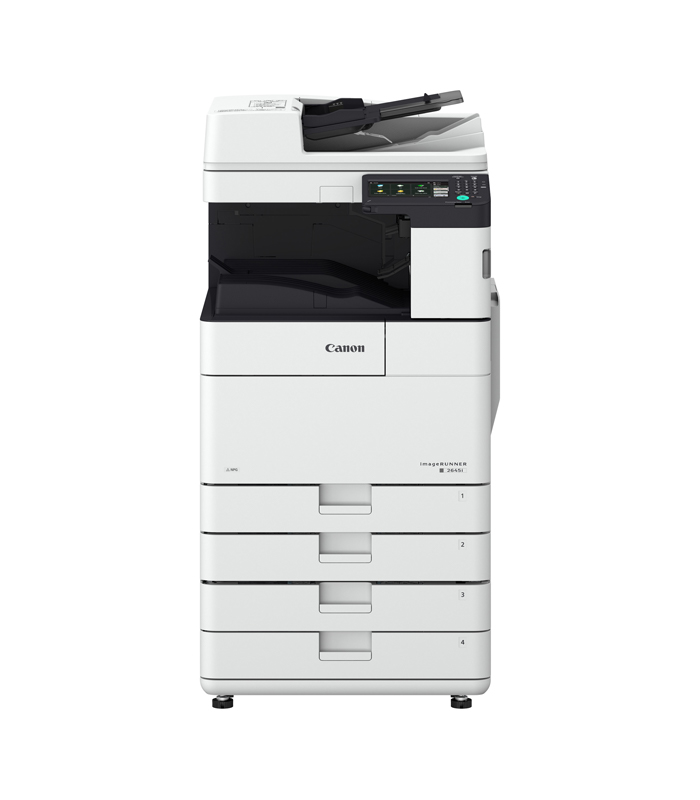
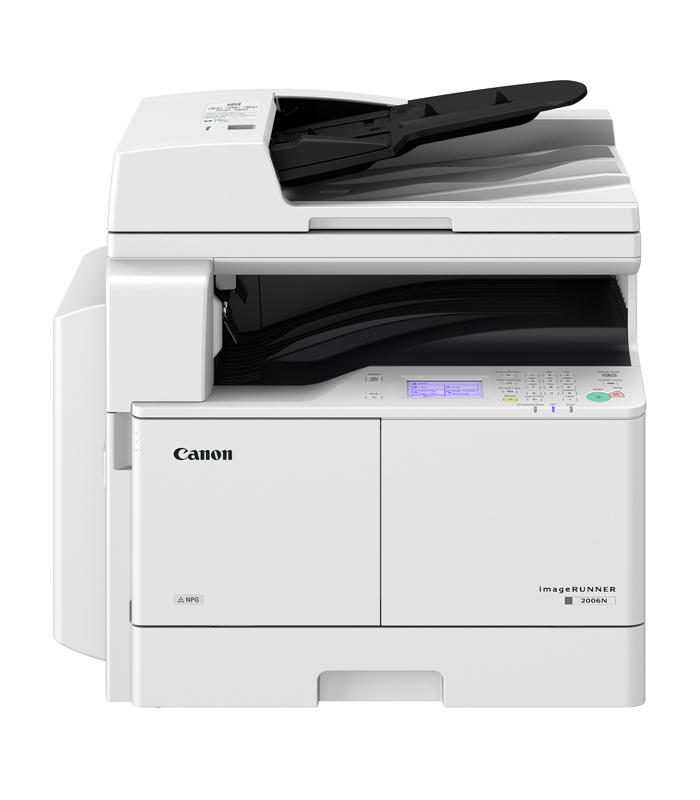
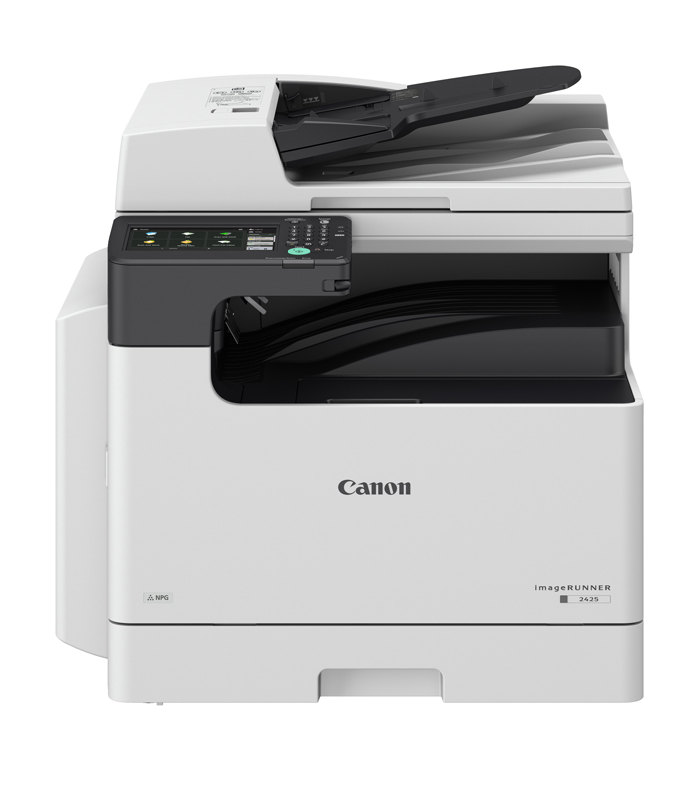
FeaturesSpecificationSoftware & DriversBrochureFeatures Simple to Use With 7 inch Touch Color Panel Maximum Security Cloud Integration and Wireless Connectivity Specification Main Unit Machine Type A3 Monochrome Laser Multifunctional Core Functions Print, Copy, Scan, Send and Optional Fax Control Panel 7 inch TFT LCD WVGA color Touch panel Memory Standard: 2.0GB RAM Storage Use area: 30GB (eMMC) Interface Connection NETWORK Standard: 1000Base-T/100Base-TX/10Base-T, Wireless LAN (IEEE 802.11 b/g/n)OTHERS Standard: USB 2.0 (Host) x3, USB 2.0 (Device) x1 Paper Supply Capacity (A4, 80gsm) Standard: 330 sheets Maximum: 580 sheets (with Cassette Feeding Module-AK1) Paper Output Capacity (A4, 80 gsm) Standard: 250 sheets Maximum: 250 sheets Finishing Capabilities Standard model: Collate, Group Supported Media Types Multi-purpose Tray: Thin, Plain, Recycled, Color, Heavy, Bond, Transparency, Label, Pre-punched, EnvelopePaper Cassette: Plain, Recycled, Color, Pre-punched Supported Media Sizes Multi-purpose tray: Standard size: A3, A4, A4R, A5, A5R, B4, B5, B5R, Envelopes [No. 10(COM 10), Monarch, ISO-C5, DL] Custom Size/Free Size: Min.95.0 x139.7 mm up to 297.0 x431.8 mmPaper Cassette: Standard size: A3, A4, A4R, A5R, B4, B5, B5R Supported Media Weights Multi-purpose tray: 60 to 157 gsm Paper Cassettes: 64 to 90 gsm Duplex: 60 to 90 gsm Warm-up Time (Quick start mode:ON) 4 Seconds or Less*1 From Sleep Mode: 10 seconds or less 12 Seconds or Less*2 Dimensions (W x D x H) With Platen Cover-AA1: 627 x 665 x 516 mm With DADF-AZ2: 627 x 692 x 616 mm Installation Space (W x D) 1065 x 1285 mm Weight With Platen Cover-AA1: Approx. 34.9 kg including toner With DADF-AZ2: Approx. 39.9 kg including toner Print Print Speed (ppm) Up to 25 ppm (A4), Up to 12 ppm (A3), Up to 11 ppm (A4R) Print Resolution (dpi) 600 x 600 Page Description Languages Standard: UFRII Optional: PCL6, Adobe®PostScript®3™ Direct Print Supported file types: RUI: PDF, EPS, TIFF/JPEG, XPS USB Memory: PDF, TIFF/JPEG, XPS Network Place: PDF, TIFF/JPEG, XPS Printing from Mobile and Cloud AirPrint, Mopria, Google Cloud Print, Canon Business PRINT and uniFLOW Online Fonts PCL fonts: 93 Roman, 10 Bitmap fonts, 2 OCR fonts, Andalé Mono WT J/K/S/T*3 (Japanese, Korean, Simplified and Traditional Chinese), Barcode fonts*4 PS fonts: 136 Roman Print Features Secure Print, Secure Watermark, Header/Footer, Page Layout, Two-sided Printing, Mixed Paper Sizes/Orientations, Toner Reduction, Poster Printing, Forced hold printing, Print Date, Scheduled Printing, Printing Using a Virtual Printer Operating System UFRII: Windows® 7 / 8.1 / 10 / Server 2008 / Server 2008 R2 / Server 2012 / Server 2012 R2 / Server 2016 / Server 2019, MAC OS X (10.10 or later) PCL: Windows® 7 / 8.1 / 10 / Server 2008 / Server 2008 R2 / Server 2012 / Server 2012 R2 / Server 2016 / Server 2019 PS: Windows® 7 / 8.1 / 10 / Server 2008 / Server 2008 R2 / Server 2012 / Server 2012 R2 / Server 2016 / Server 2019, MAC OS X (10.10 or later) PPD: Windows® 7 / 8.1 / 10, MAC OS X (10.10 or later) Copy Copy Speed (BW) Up to 25 ppm (A4), up to 12 ppm (A3), up to 11 ppm (A4R) First-Copy-Out Time (A4) (BW) Approx. 7.4 seconds or less Copy Resolution (dpi) 600 × 600 Multiple Copies Up to 9,999 copies Copy Density Automatic or Manual (9 Levels) Magnification 25% – 400% (1% Increments) Preset reduction/enlargement: 25%, 50%, 61%, 70%, 81%, 86%, 100%, 115%, 122%, 141%, 200%, 400% Copy Features Preset R/E Ratios by Area, Two-Sided, Density Adjustment, Original Type Selection, Interrupt Mode, Book to Two Pages, Two-sided Original, Sort, Job Build, N on 1, Different Size Originals, Sharpness, Erase Frame, Gutter, Copy ID Card, Free Size Original, Reserved copy, Copy Sample Scan Type Optional: Duplexing Automatic Document Feeder [2-sided to 2-sided] (DADF-AZ2) or Platen Cover (Platen Cover-AA1) Document Feeder Paper Capacity (80 gsm) DADF-AZ2: 50 Sheets Acceptable Originals and Weights Platen: Sheet, Book Document Feeder media weight: 1-sided scanning: 37 to 128 gsm (BW/CL) 2-sided scanning: 52 to 128 gsm (BW/CL) Only 1-sheet feeding is supported in 37-52 and 105-128 gsm. Supported Media Sizes Platen: Max. scanning size: 297.0 x 432.0 mm Document Feeder media size: A3, A4, A4R, A5, A5R, B4, B5, B5R Custom size: 139.7 x 148.5 mm to 297.0 x 432.0 mm Scan Speed (ipm: BW/CL; A4) DADF-AZ2: 1-sided Scanning: 35/25 (300 dpi, send), 25/13 (600 dpi, copy) 2-sided Scanning: 12/8 (300 dpi, send), 8/4 (600 dpi, copy) Scan Resolution (dpi) Scan for Copy: up to 600 x 600 Scan for Send: (Push,BW) up to 600 x 600, (Pull,BW) up to 600 x 600 (Push,CL) up to 300 x 300, (Pull,CL) up to 300 x 300 Scan for Fax: up to 600 x 600 Pull Scan Specifications Color Network ScanGear2. For both TWAIN and WIA Supported OS: Windows® 7/8.1/10 Windows® Server 2008/Server 2008 R2/Server 2012/Server 2012 R2/Server 2016 Scan Method Push scan, Pull scan, Scan to Network, Scan to memory media (USB Memory Key), Scan to Mobile Devices, Scan to cloud-based services (uniFLOW) Send Destination Standard: E-mail/Internet FAX (SMTP), SMB3.0, FTP WebDAV Optional: Super G3 FAX Address Book LDAP (2,000)/Local (1,600)/Speed dial (200) Send Resolution (dpi) Push: 100 x 100, 150 x 150, 200 x 100 (Standard), 200 x 200 (Fine), 200 x 400*5 (SuperFine), 300 x 300, 400 x 400*5 (UltraFine), 600 x 600*5 Pull: 75 x 75, 100 x 100, 150 x 150, 200 x 200, 300 x 300, 400 x 400*5, 600 x 600*5 Communication Protocol File: FTP (TCP/IP), SMB (TCP/IP), WebDAV Email/iFax: SMTP (send), POP3 (receive) File Format Standard: TIFF (MMR), JPEG*6, PDF (Compact, PDF/A-1b, Encrypted), XPS (Compact), PDF/XPS (Device Signature) Optional: PDF (Trace & Smooth), PDF/XPS (User Signature), PDF/XPS (Searchable), Office Open XML (PowerPoint, Word) Universal Send Features Original Type Selection, Two-sided Original, Different-size Originals, Density Adjustment, Sharpness, Erase Frame, Job Build, Sender’s Name (TTI), Delayed Send, Preview, Job Done Notice, File Name, Subject/Message, Reply-to, E-mail Priority, TX Report, Original Content Orientation Fax Maximum Number of Connection Lines 1 Modem Speed Super G3: 33.6 kbps G3: 14.4 kbps Compression Method MH, MR, MMR, JBIG Resolution (dpi) 400 x 400 (Ultrafine), 200 x 400 (Superfine), 200 x 200 (Fine/Photo), 200 x 100 (Normal) Sending / Receiving Size Sending: A3, A4, A4R, A5*8, A5R*8, B4, B5*7, B5R*8 Receiving: A3, A4, A4R, A5R, B4, B5, B5R FAX / Memory Up to 30,000 pages Speed Dials Max. 200 Group Dials / Destinations Max. 199 dials Sequential Broadcast Max. 256 addresses Memory Backup Yes Fax Features Sender’s Name (TTI), Direct Send, Delayed Send, Preview, Job Done Notice, TX Report, TX Reservation, Interrupt Transmission, Sequential Broadcasting, Password/Subaddress Sending, Confidential Mailbox Security Authentication and Access Control User Authentication (Picture Login, Picture and PIN Login, Function Level Login, Mobile Login), Department ID Authentication (Department ID and PIN Login, Function Level Login), uniFLOW Online Express (PIN Login, Picture Login, Picture and PIN Login, Card Login, Card and PIN Login, Username and Password Login, Department ID and PIN Login, Function Level Login), Access Management System (Access Control) Document Print Security (Secure Print, Encrypted SecurePrint, Forced Hold Printing, uniFLOW Secure Print*9), Receive Data Security (Confidential Fax Inbox Forwarding Received Documents Automatically), Scan Security (Encrypted PDF, Device Signature PDF/XPS, User Signature PDF/XPS*10), Send Data Security (Confirming FAX number, Allow/Restrict Fax Driver Transmissions, S/MIME Support) Network TLS, IPSec, IEEE802.1X authentication, SNMPv3, Firewall Functionality(IP/MAC Address Filtering), Dual Network Support (Wired LAN/Wireless LAN), Enabling/Disabling (Network Applications, Remote UI, USB Interface), G3 FAX separation from LAN, USB Port separation from LAN, Scan and Send -Virus Concerns for E-mail Reception) Device Standard Storage Initialize, Protecting MFP Software Integrity, Verify System at Startup Device Management and Auditing Administrator Password, Digital Certificate and Key Management, Audit Log, Cooperating with External Security Audit System (Security Information and Event Management), Security Policy Setting Environmental Operating Environment Temperature: 10 to 30ºC Humidity: 20 to 80 % RH (Relative Humidity) Power Source 220-240V 50/60Hz 2.7A Power Consumption Maximum: Approx. 1,500 W Standby: Approx. 22.1 W*11 Sleep Mode: Approx. 1 W*12, Approx. 2 W*13 Consumables Toner Cartridge/s NPG-59 Black Toner Toner (Estimated Yield @ 6% Coverage) Black: 10,200 impressions (A4) Software and Printer Management Tracking and Reporting uniFLOW Online Express Remote Management Tools iW Management Console eMaintenance Content Delivery System Scanning software ScanGear Optimisation Tools Canon Driver Configuration Tool Document Publishing iW Desktop Paper Supply Options Cassette Feeding Module-AK1 Cassette Feeding Module-AK1 Paper Capacity: 250 sheets (80gsm) Paper Type: Plain, Recycled, Color, Pre-punched Paper Size: A3, A4, A4R, A5, B4, B5, B5R Custom Size: – Paper Weight: 64 to 90 gsm Power Source: Main Unit Dimensions (W x D x H): 581 x 575 x 92 mm Weight: Approx. 5.8kg Hardware Accessories Others DADF-AZ2 Platen Cover-AA1 System and Controller Options Print Accessories PCL International Font Set-A1 PS Printer Kit-CM1 PCL Printer Kit-CM1 Send Options Universal Send Digital User Signature Kit-C1 Universal Send Advanced Feature Set-H1 Barcode Printing Barcode Printing Kit-D1 System Accessories Copy Control Interface Kit-D1 Fax Accessories Super G3 FAX Board-BE1 Remote Fax Kit-A1 Time from device power-on to when key operations can be performed on the touch panel display. Time from device power on, until copy ready (not print reservation). Requires optional PCL International Font Set-A1. Requires optional Barcode Printing Kit-D1. Color mode is black and white only. Single page only. Sent as B4. Sent as A4. Requires optional uniFLOW Online / uniFLOW. Requires optional Universal Send Digital User Signature Kit-C1. Reference value: measured one unit. Wireless LAN power serve mode OFF. Sleep mode is not available in all circumstances due to certain settings. Wireless LAN power serve mode ON. Sleep mode is not available in all circumstances due to certain settings. Software & Drivers You can find the required drivers for this product by clicking the button below which will send you to the official site. DRIVERS & SOFTWARESBrochure Canon imageRUNNER 2425 Multifunctional Devices (Printers) Brochure Download Brochure
Heavy Multi-Functional Devices