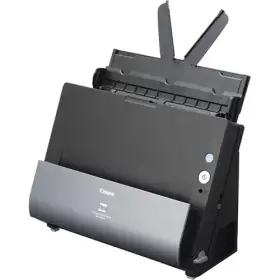
Canon imageFORMULA DR-C240 Office Document Scanner
$40.93
$69.99
SpecificationSoftware & DriversBrochureSpecification General Bundled Software ISIS/TWAIN Driver, CaptureOnTouch, CapturePerfect, eCopy PDF Pro Office, VRS Dimensions (W x D x H) Feed tray and eject tray closed: 291 × 253 × 231 mm Feed tray and eject tray open: 291 x 603 x 363 mm Ejection pockets – Interface Hi-Speed USB 2.0 MICR – On-Board Jogger – Operating Environment Temperature: 10 – 32.5°C Humidity: 20 – 80% RH Supported Operating System Windows Options / Consumables Flatbed Scanner Unit 102, Flatbed Scanner Unit 201, Barcode Module, 2D code Module, Exchange Roller Kit, Carrier Sheet (Passport), Carrier Sheet (A4) Power AC100 – 240 V Power Consumption Scanning: 19 W, Sleep mode: 1.4 W, Power Turned OFF: less than 0.1 W Weight Approx. 2.8kg Scanning Document Feeding Method Automatic Document thickness – Plain Paper Page separation mode: Weight: 27 – 209 g/m2 Thickness: 0.04 – 0.25 mmNon Separation Mode: Weight: 27 – 255 g/m2 Thickness: 0.04 – 0.3 mm Document thickness – Postcard – Document thickness – Business Card Weight: 380 g/m2 or less Thickness: 0.45 mm Document thickness – Card (ISO/IEC compliant) 1.4 mm or less Document thickness – Passport 4mm or less (include carrier sheet) Feeding Capacity 60 sheets Document size – Plain Paper (A4/LTR) Width: 50.8 – 216 mm, Length: 54 – 356 mm Document size – Long Document Mode Up to 3,000 mm Document size – Postcard Width: 89 – 108 mm, Length: 127 – 152 mm Document size – Business card Width: 51 – 55 mm, Length: 85 – 91 mm Document size – Card (ISO/IEC compliant) 54 x 86 mm (Horizontal feeding only. Embossed cards can be scanned) Document size – Passport 88 x 125 mm (ISO standard) When scanning, be sure to open the passport and insert it in the provided carrier sheet (for passports) beforehand. Document size – Plastic card – Document size – Magnetic card – Scan Light source LED (red, green, and blue) Maximum Resolution 600 dpi Scan Resolution 100 x 100dpi, 150 x 150dpi, 200 x 200dpi, 240 x240dpi, 300 x 300dpi, 400 x 400dpi, 600 x 600dpi Scanner Element CIS Scanner Type Desktop sheetfed scanner Scanning Modes Black and white, Error diffusion, Advanced Text Enhancement, Advanced Text Enhancement II, 256-level gray, 24-bit color Scanning Side Simplex / Duplex Scanning speed A4 / LTR, Portrait, 200dpi: Black and White: 45ppm (simplex) / 90ipm (duplex) Grayscale: 45ppm (simplex) / 90ipm (duplex) Colour: 30ppm (simplex) / 60ipm (duplex) Suggested Daily Volume (Scans) 4000 Software & Drivers You can find the required drivers for this product by clicking the button below which will send you to the official site. Drivers & SoftwareBrochure Canon imageFORMULA DR-C240 Office Document Scanner Brochure Download Brochure
Scanners